Managing Industrial Printers at Scale Using MPS Platforms
This blog is my comprehensive guide to executing an MPS rollout for legacy systems—with a strong focus on thermal printers and cross-vendor collaboration. It is written for product managers, software architects, operations executives, and anyone involved in enterprise transformation. Backed by field-proven strategies, data-driven visuals, and tools you can use right away, this guide blends industry best practices with personal expertise to walk you through how to define, plan, and succeed in your next MPS initiative. Whether you are starting with an old ERP system, hundreds of print devices, or a mix of on-prem and hybrid setups, the path to smarter print management begins here—with vision, strategy, and the right partners by your side.
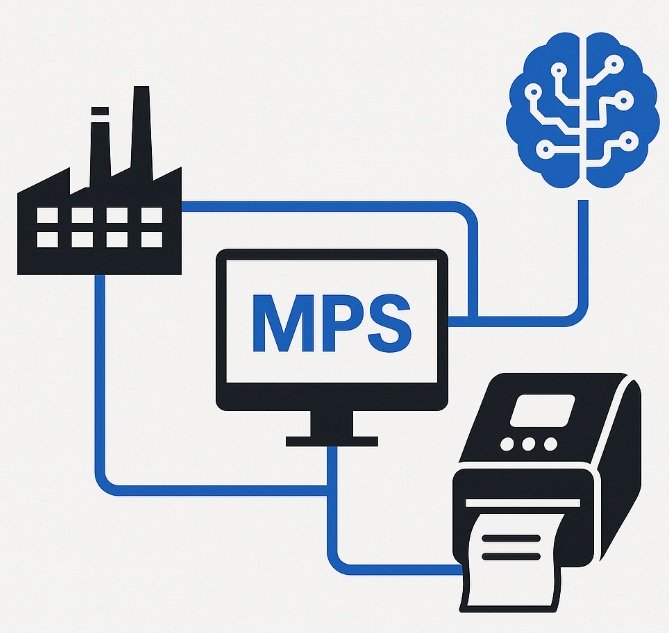
Legacy systems remain the backbone of countless industries—from logistics and manufacturing to healthcare, finance, and retail. Despite the appeal of cloud-native platforms, many organizations continue to rely on legacy software tightly coupled with hardware peripherals such as barcode scanners, RFID systems, and most notably, printers. This reliance has created a complex ecosystem that demands modernization without causing disruptions. Managed Print Services (MPS)—a framework not merely for printing, but for enhancing operational efficiency, ensuring compliance, and driving digital transformation. The need for MPS is not a trend—it is a business imperative. As companies strive to balance innovation with continuity, the print infrastructure often becomes the overlooked artery, clogged with inefficiencies, silos, and security vulnerabilities. The question is no longer whether MPS is necessary, but how to implement it effectively—especially for legacy environments where specialized hardware like thermal printers dominate daily workflows.
While at Zebra, I led pivotal initiatives that introduced thermal printer integration into MPS ecosystems, creating a bridge between rugged hardware and enterprise-grade print intelligence. One of the most groundbreaking projects I had the privilege of leading was a collaboration with HP (one of the top MPS leaders in the market) to allow its MPS platform to manage Zebra thermal printers—an unprecedented fusion of enterprise print management with industrial print capabilities. This partnership gave HP access to segments like logistics, warehouses, and industrial manufacturing—domains where they previously lacked deep hardware support—and it gave Zebra an interface to securely manage, update, and optimize their devices remotely, at scale. These experiences grounded me in the reality of what enterprises truly need: not more complexity, but a scalable, unified approach to print and device management that works across vendor lines and legacy boundaries.

Source: https://www.ricoh-usa.com/en/insights/articles/ricoh-named-leader-managed-print-services : MPS leaders in the market -2024.
This blog is my comprehensive guide to executing an MPS rollout for legacy systems—with a strong focus on thermal printers and cross-vendor collaboration. It is written for product managers, software architects, operations executives, and anyone involved in enterprise transformation. Backed by field-proven strategies, data-driven visuals, and tools you can use right away, this guide blends industry best practices with personal expertise to walk you through how to define, plan, and succeed in your next MPS initiative. Whether you are starting with an old ERP system, hundreds of print devices, or a mix of on-prem and hybrid setups, the path to smarter print management begins here—with vision, strategy, and the right partners by your side.
At its core, Managed Print Services (MPS) refers to the strategic outsourcing of print infrastructure management, monitoring, and optimization. But MPS is so much more than managing paper output—it is about understanding how content moves through an organization, where bottlenecks arise, how devices are used (or misused), and what actions can be automated to improve efficiency, security, and compliance. A well-architected MPS solution integrates software agents across networked printers, scanners, and copiers. These agents collect telemetry—such as page counts, toner levels, error logs, and usage statistics—then relay that data to a centralized platform. This enables IT administrators to proactively manage device fleets, troubleshoot issues remotely, and make informed decisions about procurement, energy consumption, and end-user behavior.

MPS also plays a key role in standardizing device interactions across geographies. A global enterprise might have different printer brands at different branches, some thermal for barcode labels, others laser-based for forms and documents. Without MPS, IT teams would manually manage firmware updates, driver installations, and security patches across this heterogeneous fleet. With MPS, these tasks can be scheduled and executed centrally. Even better, cloud-based platforms now allow secure MPS access from anywhere in the world, ensuring that updates are rolled out globally in minutes instead of weeks. As highlighted in HP’s whitepaper “Hybrid Work Blueprint for Print Transformation” (2023), organizations that centralize and automate their print environments see up to 25% reduction in total printing costs and 40% fewer service tickets, thanks to real-time alerts and predictive diagnostics.
Traditional MPS platforms were designed with office environments in mind—managing desk printers, multifunction devices, and shared copy rooms. However, the modern enterprise is not limited to desks or print rooms—it stretches across warehouses, manufacturing floors, hospitals, retail counters, and logistics hubs. In these environments, thermal printers are the backbone of operational continuity. They print barcode labels, shipping manifests, wristbands, product tags, and inventory slips. Unlike traditional inkjet or laser printers, thermal printers use heat to transfer ink or imprint directly on labels, making them faster, quieter, and more durable. But their simplicity on the surface belies the complexity of managing them at scale. These devices often run proprietary firmware, lack standardized APIs, and operate with minimal logging—making them a black box for traditional MPS platforms.
That is why our integration at Zebra—developing telemetry and secure firmware extensions—was so transformative. We enabled thermal printers to emit structured data on usage patterns, print success/failure logs, and supply status. This also allowed HP to gain visibility and remote control over Zebra hardware, opening doors into rugged and industrial environments previously outside their reach. From this integration came a new reality: thermal printers can and should be part of your digital print ecosystem, not an afterthought. This also aligns with HP's “Print as a Service” vision outlined in HP Managed Print Services & Security: A Unified View (2022), where they recommend unifying all print and scan endpoints under a single managed environment, regardless of hardware source or usage context.
This expanded view of MPS—one that includes legacy systems and thermal printers—marks a shift from cost-focused outsourcing to intelligence-focused transformation. It is no longer about just reducing toner usage. It is about using real-time insights to predict maintenance windows, reroute jobs from failing devices, and identify underutilized assets. It is about aligning print behavior with digital compliance protocols and IT governance. Most of all, it is about enabling hybrid operations—where people, devices, and processes collaborate securely from any location, whether that is a home office in Bogotá or a fulfillment center in Chicago.
One of the most critical architectural decisions during an MPS implementation is selecting the appropriate deployment topology—the structural layout that defines how devices, users, and the MPS control layer interact. The wrong topology can lead to performance bottlenecks, security risks, or compliance violations. The right topology, on the other hand, can make an MPS rollout seamless, scalable, and self-sustaining. For legacy-heavy environments, especially those with a mixture of ERP systems and specialized devices like thermal printers, this choice becomes even more nuanced. The reality is that legacy systems often rely on hardcoded network routes, outdated drivers, and disconnected data silos. This makes seamless integration a challenge—one that can only be overcome by choosing a topology that accommodates decentralization while enabling centralized intelligence.

The four most common topologies in MPS are: Centralized Print Server, Direct IP Printing, Hybrid MPS, and Cloud-Based MPS. In the Centralized model, all print jobs are routed through a central server. This server controls access, queues, and logging, making it ideal for high-compliance industries like healthcare or finance. However, this model may cause latency in multi-site deployments or during peak usage periods.

Fig 1.
Direct IP Printing, by contrast, allows print jobs to travel directly from user to device without a central relay. While this improves performance in localized setups, it sacrifices control, visibility, and troubleshooting efficiency—especially problematic when supporting hundreds of Zebra thermal printers in logistics networks, as I have encountered firsthand.

Fig 2.
Perhaps the most promising topology moving forward is Cloud-Based MPS. In this architecture, devices connect to the cloud through secure gateways, allowing remote management, predictive analytics, and mobile printing from virtually any location. Platforms like HP JetAdvantage, Printix, and PaperCut are pioneering this space, offering zero-footprint print management through cloud-native dashboards. Cloud-based MPS aligns perfectly with hybrid work environments where employees operate from homes, regional offices, or on the go. It also enables zero-trust printing—where every print job is authenticated, encrypted, and monitored in real-time—fulfilling compliance requirements such as GDPR and HIPAA.

Fig 3.
The Hybrid MPS model offers the best of both worlds. In this topology, devices communicate directly for routine tasks but report status, errors, and usage data to a central analytics hub. For legacy environments, this setup allows older systems to maintain existing routes while still exposing telemetry for AI-driven dashboards. During our Multiple ISV MPS -Zebra integrations, we leveraged a hybrid approach: Zebra printers handled local jobs via Direct IP, but exposed SNMP and telemetry via secure APIs to cloud console. This reduced latency for warehouse label printing, while maintaining enterprise-level visibility, compliance, and firmware control. It is a game-changer for multi-site deployments.

Fig 4.
For thermal printers, cloud deployment presents unique challenges, as these devices were traditionally built for closed networks. However, with firmware advancements (like those introduced by Zebra like Link-OS), these printers can now authenticate, report over TLS-encrypted channels, and support remote debugging. Our implementation enabled Zebra devices to publish logs to MPS dashboard, where they were ingested into real-time analytics streams for job optimization and SLA monitoring.
Ultimately, your choice of topology should reflect your operational landscape. If you are managing a few centralized offices with heavy regulation, a centralized model may suffice. If you are a distributed retailer with thousands of thermal printers across stores and fulfillment centers, a hybrid or cloud-based model is likely more efficient. What matters most is not the topology itself, but its flexibility to support both modern tools and legacy realities. A future-proof MPS strategy does not replace—it integrates. It does not force change—it enables it.
The success of any Managed Print Services (MPS) implementation—especially in complex, legacy-heavy environments—hinges not just on the technology, but on assembling the right team and executing a plan that accounts for both human and machine realities. One of the earliest missteps I have seen is when organizations assign MPS as a subtask of broader IT transformation initiatives. MPS is not just an operational tool—it is an ecosystem with interdependencies across cybersecurity, infrastructure, procurement, and facilities. This is why the project should begin with role clarity. At minimum, you need a dedicated Product Owner (PO) to align daily implementation tasks with business objectives, a Technical Product Manager (TPM) to oversee firmware, APIs, and infrastructure, a Compliance Officer to ensure regulations are met, and an IT Infrastructure Led to manage deployment logistics, including software agents and network compatibility.
Security is not a box to be checked—it is an enabler of trust, especially when dealing with printers that handle sensitive documents. Zebra thermal printers are commonly used to print patient wristbands in hospitals, shipping manifests in warehouses, and pricing tags in retail. Each of these applications is tied to a regulatory framework—HIPAA, PCI-DSS, or even local trade compliance. Therefore, our MPS deployment included firmware hardening techniques like TLS 1.3 for all SNMP communications.
Change management is equally important. In legacy environments, users are accustomed to manual workflows and may resist cloud-connected solutions due to fear of complexity or surveillance. That is why we invested heavily in live simulation labs, role-specific training modules, and interactive documentation.
Lastly, beta testing. No MPS rollout should happen all at once. Select 3–5 diverse sites—one retail hub, one hospital, one warehouse—and implement your MPS MVP there first. Track KPIs: average time-to-repair, print job success rate, technician dispatch frequency. Only after demonstrating measurable ROI should the solution scale.
Compliance is no longer just a matter of ticking off regulatory boxes; it is a core business imperative—especially when your print ecosystem spans legacy infrastructure and sensitive environments like healthcare, finance, and logistics. In a Managed Print Services (MPS) environment, every printed label, invoice, wristband, or document can become a potential compliance risk if not properly tracked, encrypted, and logged. Thermal printers in particular—due to their prevalence in operational workflows—often sit at the intersection of these compliance touchpoints but have historically been blind spots in the auditing process. When we started integrating Zebra thermal printers into HP’s MPS solution, one of the first hurdles was ensuring that the firmware supported secure communication, audit logging, and policy enforcement. That was not just a security upgrade—it was a compliance mandate.
Take healthcare, for example. Under HIPAA, a misprinted patient wristband that leaks personally identifiable information (PII) is a violation. In retail, under PCI-DSS, unencrypted receipts printed at a terminal connected to an open network can result in penalties or even operational shutdown. In several implementations responded to these needs by embedding TLS encryption, SNMP protocols, and time-stamped print logs. The telemetry was then transmitted securely to HP’s JetAdvantage analytics platform, creating an immutable audit trail that could be used for both proactive monitoring and forensic investigation. Additionally, by integrating with identity providers like Azure Active Directory, we could restrict print permissions based on user roles, with the latest versions of Link-OS – Operating system of Zebra printers - user roles are allowed ensuring that only authorized personnel could execute sensitive print jobs.
But compliance does not stop at defense—it is also about proactive optimization. And this is where artificial intelligence (AI) and machine learning (ML) become transformative. By feeding historic print logs, supply usage patterns, and job failures into ML models, we could be able to predict toner depletion, detect device anomalies, and anticipate maintenance events before they happened. In one logistics deployment, clustering algorithms can be used to analyze print errors to discover over 70% of failures stemmed from a single barcode format being sent to legacy thermal devices.
AI also empowers document classification and workflow acceleration. For example, combining MPS logs with Optical Character Recognition (OCR) and Natural Language Processing (NLP) allows scanned documents and printed labels to be tagged, categorized, and indexed automatically. This is particularly powerful in supply chain operations, where thermal printers generate hundreds of labels per hour. With OCR integrated into the MPS platform, those labels can now be interpreted in real-time—flagging inconsistencies, duplications, or compliance gaps.
Even more transformative could be the AI’s impact on ETL (Extract, Transform, Load) processes. Traditionally, pulling print logs involved manual collection from disparate systems, cleaning data, and generating weekly reports. But with AI-driven ETL, data can be ingested in real time, filter noise automatically, and apply anomaly detection on the fly. Transformer-based models (like those used in ChatGPT) can enable contextual insights such as which shifts that had the highest print volume, which devices exhibited abnormal energy draw, and how label types correlated with failure rates. These insights more than operational are strategic for the business. All the results can provide informed staffing decisions, equipment upgrades, and policy updates.
The takeaway? Compliance and AI/ML are not separate tracks in MPS—they are converging lanes of one powerful engine. When embedded at the firmware level and extended through cloud analytics, they not only protect the business but elevate its intelligence. In today’s hybrid, regulated, fast-paced enterprise world, your MPS platform is not just a backend tool—it is a frontline data system. And that is why it must be designed with compliance and AI at its core.
When deploying Managed Print Services (MPS), particularly in legacy environments with industrial-grade devices like Zebra thermal printers, attempting a massive rollout from day one is a recipe for chaos. Instead, success begins with a focused, well-scoped Minimum Viable Product (MVP)—a lean version of the final vision that delivers measurable impact without overwhelming the infrastructure or the teams managing it. During my time at Zebra, when we partnered with different ISVs to enable MPS oversight of Zebra thermal printers, the beta programs to validate the MPV was not a complex web of real-time diagnostics. It was a simple, powerful foundation: enable remote visibility of thermal printer status across simulation of warehouses. That is, it. And it changed everything.
Our MVP goals were crystal clear: validate firmware compatibility, test telemetry extraction, and confirm SNMP and TLS-based communication integrity between Zebra printers and ISVs with MPS consoles.
Defining the MVP is only half the battle. The other half is taking it to market—both internally within your organization and externally to partners or customers. Internally, success hinges on clear communication, well-designed training, and change management. In initiatives like the mentioned before is good to create role-based onboarding kits: warehouse staff got quick-start guides and “how-to” videos for reading device alerts; IT teams can receive scripts for remote diagnostics and firmware updates; executives can be provided with ROI dashboards that linked device uptime to service cost savings. These efforts turned early resistance into active evangelism—critical when driving transformation across multiple geographies and business units.
Externally, your go-to-market (GTM) plan must include proof-of-concept (PoC) case studies, ROI calculators, and integration documentation. Teams need to work closely with customer success teams to equip them with materials that showcase how adding Zebra thermal printers to ISVs with MPS consoles can give clients in manufacturing and logistics a strategic edge.
Your MPS MVP does not need to be a technical masterpiece—it just needs to prove that better visibility, security, and efficiency are possible with the right setup. With thoughtful execution and clear value demonstration, it becomes the launchpad for long-term transformation.
Looking ahead, in any advanced MPS deployment—especially those built to support a wide array of legacy systems and industrial thermal devices—the biggest untapped asset is data. And it all starts with ETL: Extract, Transform, Load. Historically, print environments have been data-poor. Devices logged information inconsistently, formats varied wildly across brands, and insights—if any—were derived from manual reports days or weeks after incidents occurred. Today’s print infrastructure is capable of behaving like a real-time operational intelligence layer—thanks to properly structured ETL architecture.
The “Extract” stage begins at the firmware level. The basics start with thermal printer firmware to expose clean, structured telemetry endpoints via encrypted SNMP and API feeds. This meant we could pull data like job success rate, label throughput, error codes, and printhead health every few seconds. Devices became self-reporting assets, not just passive endpoints. In the “Transform” stage, can be utilized AI models—initially logistic regression and then more advanced random forest classifiers—to clean the data, normalize log structures, and tag anomalies. For example, we can train models to detect thermal drift, identify jam-prone media combinations, and isolate communication breakdowns by correlating error codes with network logs.
Finally, the “Load” stage funneled this intelligence into our advanced -hypothetic - analytics platform, where dashboards tracked KPIs like uptime per device cluster, SLA breach probabilities, and toner/label consumption forecasts. For one logistics client, this meant reducing troubleshooting time by over 50% and cutting label waste by 18%—all thanks to real-time visibility generated through ETL. And because the platform supported integration with other business systems (like ServiceNow and Power BI), those insights flowed directly into support workflows and executive reviews. The result? Fewer surprises. More control. Smarter operations.
The MPS market is no longer just about reducing paper use or lowering toner costs. It is now a strategic enabler of business continuity, compliance, and customer experience. According to Statista, the global MPS market is projected to reach $58 billion by 2027, up from $38 billion in 2022. This growth is driven by several megatrends: the hybrid work revolution, growing demand for real-time analytics, and the rapid shift from hardware-centric print models to software- and service-centric platforms. Enterprises are no longer asking, “Do we need MPS?”—they are asking, “Which platform integrates best with our cloud, our compliance frameworks, and our operational models?”
HP’s transformation blueprint, outlined in their Hybrid Work Print Strategy Guide, highlights how future MPS leaders will prioritize security, cloud-native architecture, AI automation, and device diversity—including rugged devices like Zebra thermal printers. Organizations are increasingly moving away from siloed print fleets toward platform-agnostic ecosystems that unify multifunction printers, scanners, thermal labelers, and mobile printing units under a single policy layer. This trend was validated by our HP-Zebra integration, where we enabled not only centralized telemetry and analytics but also remote device control and dynamic workload routing based on business rules.
Additionally, verticalized solutions are gaining traction. Healthcare providers want secure label printing with PHI protection. Warehouses demand predictive uptime management. Retailers focus on label speed, consistency, and cost per print. The MPS platforms that can tailor analytics and workflows per vertical—while remaining flexible and vendor-neutral—will lead the next five years of transformation. The most valuable platforms will also offer built-in ETL modules, integration blueprints for Azure and AWS, and AI models that learn from each customer’s data to continuously optimize device usage, workload distribution, and compliance readiness.
The MPS market is no longer about who prints the most—but who learns the fastest. And with thermal printers, real-time data, and AI-driven ETL as key enablers, the competitive advantage belongs to those who integrate everything—intelligently.
Implementing Managed Print Services (MPS) in legacy software environments—especially those involving connected devices like thermal printers—is no longer a peripheral concern. It is a strategic decision that shapes an organization’s compliance posture, operational resilience, and digital maturity. Throughout this blog, we have seen how structured implementation, hybrid deployment models, AI-enhanced ETL pipelines, and cross-vendor integrations (such as HP and Zebra) form the pillars of a successful transformation. Whether you are operating warehouses, healthcare centers, or retail networks, the same principles apply: identify inefficiencies, extract telemetry, transform data into insights, and act before issues cascade.
My experience leading these transformations—bridging rugged devices with secure cloud MPS solutions—taught me that the true value lies in unification. When HP integrated Zebra printers, they were not just adding hardware—they were gaining real-time access to operational intelligence from sectors they had never optimized before. This is a blueprint other organization can adopt. The key? Start with a focused MVP. Validate telemetry. Prove the ROI. Then scale intelligently—vertically by industry, and horizontally by geography.
Thermal printers, long considered simple label makers, have evolved into smart endpoints. With encrypted SNMP protocols, telemetry logging, and firmware enhancements, they now support AI-driven maintenance, compliance traceability, and real-time analytics. This convergence of industrial durability and enterprise intelligence makes MPS not only viable but vital for industries in transition.
If you enjoyed this blog, please feel free to share it on your social networks to spread the word. I'd love to hear your thoughts, so if you have any comments, suggestions, or recommendations, please don't hesitate to share them. If you liked the content, don't forget to click "like." And if you'd like to chat or have any questions, feel free to send me an email—I'm always happy to connect!
- HP, Hybrid Work Blueprint for Print Transformation, 2023.
https://h20195.www2.hp.com/v2/GetDocument.aspx?docname=4AA8-1136ENW&utm_cmp_rs=Nota+Enlace+Editorial - HP & Zebra, HP Managed Print Services with Zebra Integration, Internal Whitepaper, 2023. https://www8.hp.com/h20195/v2/GetPDF.aspx/4AA7-8668EEW.pdf
- Statista, Managed Print Services Market Forecast
https://www.statista.com/outlook/tmo/cybersecurity/security-services/managed-services/worldwide? - PaperCut, Print enablement & management in distributed working environments https://www.papercut.com/kb/Main/DistributedWorkingSolutions/
- Printix, Cloud Print Management Overview
https://printix.net/ - Gartner, Magic Quadrant for MPS Services Worldwide, 2022.
https://www.gartner.com/reviews/market/managed-print-services-in-the-distributed-workplace - Microsoft Azure, Printer Security, and Identity Integrations in Cloud Environments
https://learn.microsoft.com/en-us/security/benchmark/azure/baselines/universal-print-security-baseline - ServiceNow, Integrating Device Telemetry into ITSM for Print Devices
https://www.servicenow.com/products/itsm.html - HP, JetAdvantage Secure Print Analytics
https://www.hp.com/us-en/solutions/business-solutions/secure-printing.html - RICOH, Keypoint Intelligence Names Ricoh a 2024 Leader in Managed Print Services https://www.ricoh-usa.com/en/insights/articles/ricoh-named-leader-managed-print-services
What's Your Reaction?